Is it free?
Yes. There is no account, payment, watermark or download limit.
Free · No upload · No watermark
Type on a PDF form—even one with no fillable fields. Add dates, checks or a signature, then download. Your file stays here.
Your entries stay private. Your PDF, form text and signature remain in your browser and are never uploaded to No Fuss PDF.
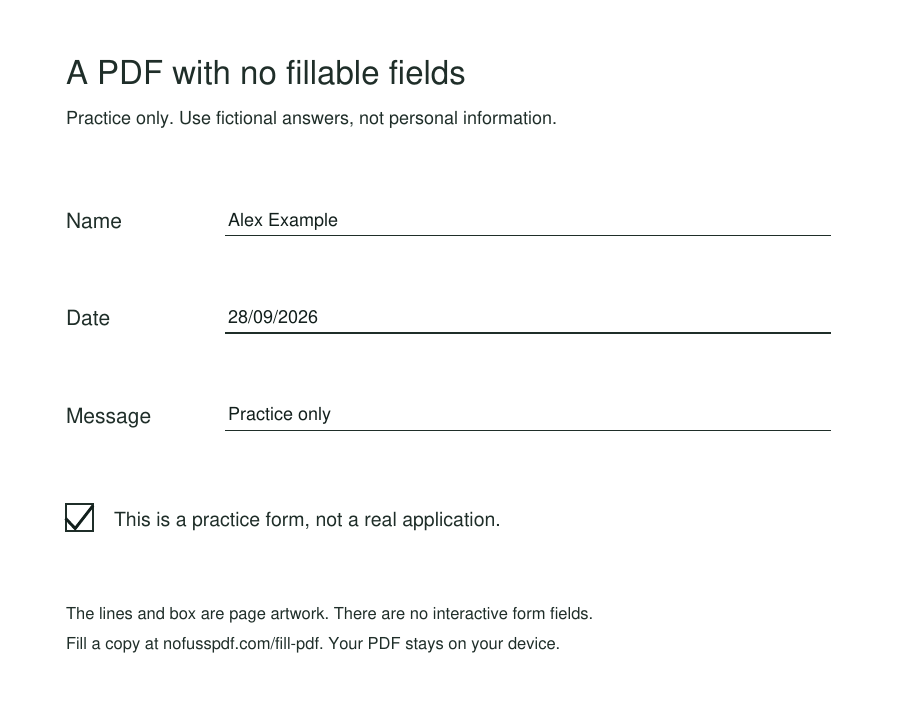
A blank line can look like a text field without being one. Scanned and flattened forms often have no interactive fields to click. If a field does not highlight in Acrobat, Adobe says the form may be non-interactive; security restrictions are another possible cause. See Adobe’s form-filling guidance.
For an ordinary PDF that opens here, click or tap where an answer belongs and type. No Fuss PDF places visible text over the page, so it can help with flat forms and scans without creating new interactive fields or changing the original text. If the document is password-protected or restricted, ask its owner for an accessible copy.
Not sure how typing on a flat form works? This one-page practice form has ordinary lines and a checkbox, but no interactive fields. It is an example we made, not a real application.
Yes. There is no account, payment, watermark or download limit.
Yes. The Fill PDF workspace includes the same drawing, typed and uploaded signature tools as Sign PDF.
No. The document, everything you type and every signature stay on your device.
Yes. Tap the page to add text, use the phone keyboard, and draw a signature with your finger. Normal swipes scroll the page.